Mustek Drivers
by Mustek Systems, Inc
The best way to fix your PC to run at peak performance is to update your drivers. If your system is slow, unresponsive or crashes often, the problem may be with your drivers. Sometimes, after upgrading to a newer operating system such as Windows 11, problems can occur because your current driver may only work with an older version of Windows. To download and update your drivers, follow the instructions below.
Find Mustek Device Drivers by Model
Popular Mustek Device Categories
Featured Mustek Downloads
Popular Mustek Hardware IDs
How to Update Mustek Device Drivers Quickly & Easily
Tech Tip: Updating drivers manually requires some computer skills and patience. A faster and easier option is to use the Driver Update Utility for Mustek to scan your system for free. The utility tells you which specific drivers are out-of-date for all of your devices.
Step 1 - Download Your Driver
To get the latest driver, including Windows 11 drivers, you can choose from the above list of most popular Mustek downloads. Click the "Download driver" button next to the matching model name. After you complete your download, move on to Step 2.
If your driver is not listed and you know the model name or number of your Mustek device, you can use it to search our driver archive for your Mustek device model. Simply type the model name and/or number into the search box and click the Search button. You may see different versions in the results. Choose the best match for your PC and operating system.
If you don't know the model name or number, you can start to narrow your search down by choosing which category of Mustek device you have (such as Printer, Scanner, Video, Network, etc.). Start by selecting the correct category from our list of Mustek Device Drivers by Category above.
We employ a team from around the world. They add hundreds of new drivers to our site every day.
Tech Tip: If you are having trouble deciding which is the right driver, try the Driver Update Utility for Mustek. It is a software utility that will find the right driver for you - automatically.
Step 2 - Install Your Driver
Once you download your new driver, then you need to install it. To install a driver in Windows, you will need to use a built-in utility called Device Manager. It allows you to see all of the devices recognized by your system, and the drivers associated with them.
Open Device Manager
In Windows 11, Windows 10 & Windows 8.1, right-click the Start menu and select Device Manager
In Windows 8, swipe up from the bottom, or right-click anywhere on the desktop and choose "All Apps" -> swipe or scroll right and choose "Control Panel" (under Windows System section) -> Hardware and Sound -> Device Manager
In Windows 7, click Start -> Control Panel -> Hardware and Sound -> Device Manager
In Windows Vista, click Start -> Control Panel -> System and Maintenance -> Device Manager
In Windows XP, click Start -> Control Panel -> Performance and Maintenance -> System -> Hardware tab -> Device Manager button
Install Drivers Using Device Manager
Locate the device and model that is having the issue and double-click on it to open the Properties dialog box.
Select the Driver tab.
Click the Update Driver button and follow the instructions.
In most cases, you will need to reboot your computer in order for the driver update to take effect.
Tech Tip: Driver downloads and updates come in a variety of file formats with different file extensions. For example, you may have downloaded an EXE, INF, ZIP, or SYS file. Each file type has a slighty different installation procedure to follow.
How to Update Drivers Automatically
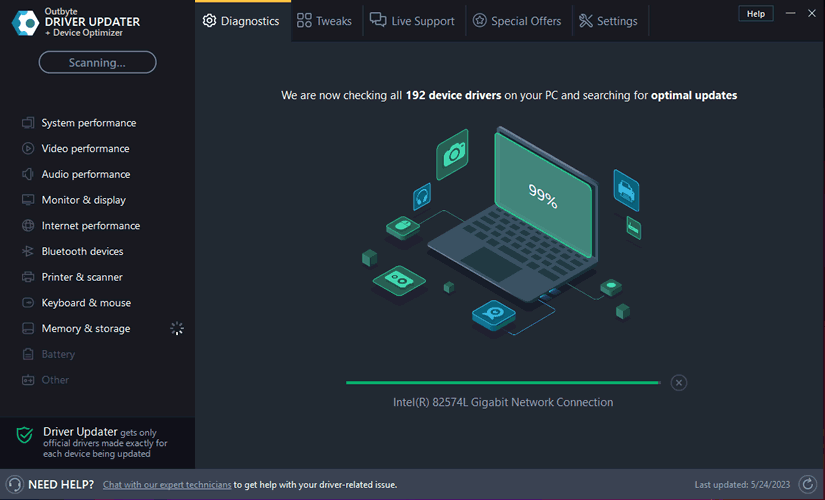
If you are having trouble installing your driver, you should use the Driver Update Utility for Mustek. It is a software utility that automatically finds, downloads and installs the right driver for your system. You can even backup your drivers before making any changes, and revert back in case there were any problems. You can safely update all of your drivers in just a few clicks. Once you download and run the utility, it will scan for out-of-date or missing drivers:
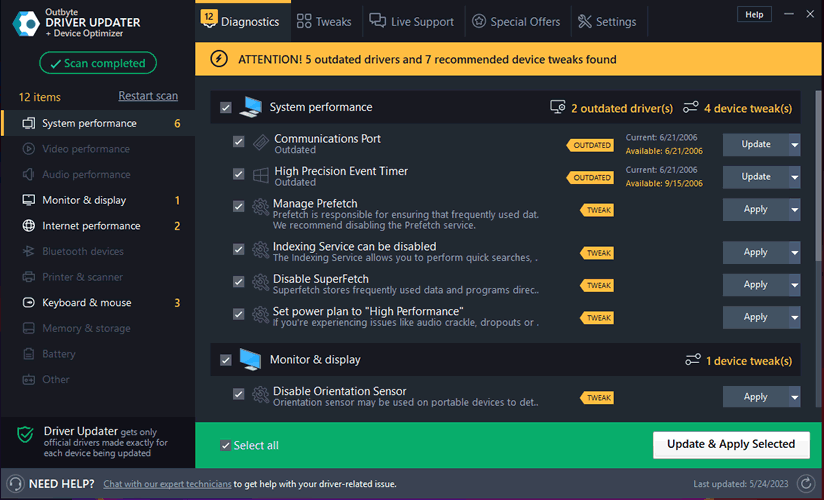
When the scan is complete, the driver update utility will display a results page showing which drivers are missing or out-of-date. You can update individual drivers, or all of the necessary drivers with one click.
For more help, visit our Driver Support Page for step-by-step videos on how to install drivers for every file type.